Tampilkan postingan dengan label CD/DVD Utilities. Tampilkan semua postingan

Copy Protect 1.0


Copy Protect adalah perlindungan salinan program perangkat lunak yang memungkinkan Anda mencegah penyalinan ilegal pada file media Anda. Program ini mendukung ekstensi file audio, video, dokumen dan format file gambar. Copy Protect bekerja dengan mengkonversi file media ke dalam aplikasi executable yang berjalan hanya dalam drive mereka dibuat. File tidak akan berjalan jika disalin dan dilaksanakan dari drive lain atau komputer lain, sehingga mencegah distribusi ilegal. Copy Protect menerapkan teknologi hard-core yang menjamin perlindungan salinan lengkap dari file Anda.

Fitur dan Manfaat :

Perlindungan Salin: Melindungi penyalinan tingkat lanjut menggunakan teknologi copy proteksi yang tidak dapat dimodifikasi dengan cara apapun yang berarti salinan data dilindungi dari penyalinan ilegal dan pembajakan.

Mudah digunakan: Copy Protect memiliki antarmuka pengguna yang mudah dipahami, grafis yang tidak membutuhkan keahlian untuk mengoperasikannya. Hal ini sangat mudah dijalnkan dan digunakan.

Aksesibilitas: Program ini menawarkan Anda cara untuk melihat, memutar dan membaca salinan Anda dilindungi gambar, audio, video dan dokumen karena dilengkapi dengan khusus built-in player untuk video dan audio, dan penampil untuk gambar dan dokumen.

Peace of Mind: Aman dari kebocoran pelanggaran privasi. Jangan lagi takut apa yang terjadi pada CD, DVD drive atau USB saat sedang digunakan oleh orang lain.

Portable Aplikasi: Copy Protect unik karena ia menciptakan aplikasi dilindungi salinan yang portabel. Ini berarti tidak perlu menginstal program lain untuk menjalankan file salinan yang terproteksi.

Hak Administrasi yang disyaratkan: Tidak memerlukan hak administratif untuk memutar video dan audio dilindungi atau membaca file yang dilindungi pada dokumen Anda.

Peningkatan Pendapatan: Tingkatkan pendapatan Anda melalui Copy Protect dengan mencegah pembajakan menyalin, ilegal dan duplikasi material hak cipta Anda.

Cegah Pencurian Gambar: Sekarang dengan Copy Protect, Anda berada dalam kontrol penuh untuk mencegah gambar dan foto digital dari yang pencurian atau disalin secara ilegal. Sekarang Anda dapat memberikan contoh dari foto digital, karya seni, desain grafis atau naskah rencana tanpa klien mampu menyalinnya.

Silahkan Unduh dari link di bawah ini :
Selengkapnya »»

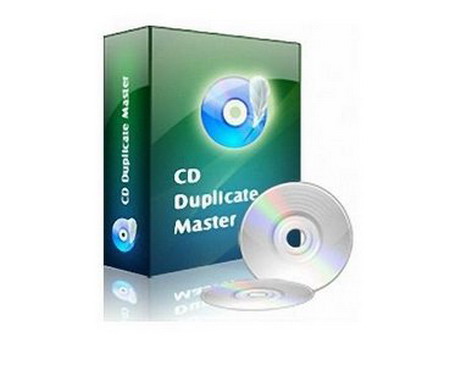
CD Duplicate Master 1.0.0.1178


CD Duplicate Master utilitas duplikat CD yang dirancang agar sesuai untuk kebutuhan penggemar. Hal ini dapat memungkinkan Anda untuk mengekstrak track audio digital dari CD audio ke file suara pada hard disk; membakar CD audio, CD data ke disk CD kosong, dan file data ke file image ISO; menyalin semua jenis disc CD, dan menghapus isi CD-ROM ditulis ulang. Masih bisa ambil track audio dari CD dan menyimpannya ke hard drive Anda dalam berbagai format audio, seperti MP3, WMA, OGG dan lainnya, dan membuat CD audio khusus dari MP3, WAV, OGG dan WMA file. Ini adalah pilihan terbaik untuk disk CD cadangan.

Fungsi utama :
  • Ekstrak track audio digital dari CD audio
  • Burn CD audio, CD data ke disk CD kosong
  • Salin semua jenis disc CD
  • Hapus konten CD-ROM ditulis ulang

Daftar Fitur :
  • Salin kedua CD audio dan CD data dengan kualitas terbaik.
  • Ambil track audio dari CD dan menyimpannya ke hard drive Anda dalam berbagai format audio digital, seperti RAW, OGG, MP3 dan file musik WAV.
  • Ekstrak track audio digital dari CD audio ke file suara pada hard disk.
  • Menulis file ke media CD-R.
  • Menghapus data lama dari CD-RW.
  • Nama file yang ingin Anda ambil, dengan menggunakan informasi yang diterima dari sumber CDDB.
  • Perubahan dan menambahkan informasi yang diperoleh dari sumber-sumber audio seperti nama artis, album dan trek.
  • Visual menilai kemajuan proses ripping.
  • Mudah digunakan dan user-friendly interface.

Selengkapnya »»

DAEMON Tools Pro 4.35.0306 Advanced Edition


Best product for optical media emulation. Create new images or edit existing ones with easy tool Image Editor. Run it directly from DAEMON Tools or Windows Explorer. You can add, replace, delete files that image contains. Don’t forget about support of various image types. Create, edit, manage and burn images with only one powerful application — DAEMON Tools Pro!

Use full DAEMON Tools Pro functionality: create images using preset profiles, make necessary changes to image data if needed, compress data, split image files, protect your image information, burn to CD/DVD, emulate not only CD/DVD but also HD DVD and Blu-ray drives.
Plus get even more virtual CD/DVD/HD DVD/Blu-ray drives. With DAEMON Tools Pro Advanced you have ability to create 32 virtual devices.
Only DAEMON Tools Pro Advanced has a special feature for advanced users — possibility to emulate not only SCSI but also IDE virtual devices.
If all English letters are already assigned to devices and there is no free one left then you can still create virtual devices but without letters. With DAEMON Tools Pro it is possible!
But if your drive doesn’t have a letter you won’t see it in My Computer. How to get mounted image data on such drive then? DAEMON Tools Pro lets you assign folder to virtual drive and then access your virtual disc data opening this assigned folder in My Computer.
Do you have collection of different disc images types where each has some specificity? Can’t you protect some images due to their format restrictions? Do you want all images in catalog to have a single format? — Convert your image files to Media Descriptor format (*.mds/*.mdf files). It is DAEMON Tools native format and supports all DT Pro functionality. Feel free to use variety of tools and possibilities with MDS/MDF format for disc images.

Key features
  • auto update;
  • creates *.iso and *.mds images using preset profiles;
  • emulates up to 32 CD/DVD/HD DVD/Blu-ray drives;
  • supports up to 2 virtual IDE devices;
  • burning verify functionality;
  • compresses images;
  • performs image mounting to physical folders;
  • protects image with password;
  • manages image collection’s;
  • includes image converter;
  • monitors virtual devices’ properties;
  • offers friendly Graphical User Interface (GUI).


Selengkapnya »»

OpenCloner Blue Cloner v2.50.516


Blue Cloner is a professional Blu-ray tool to make quality Blu-ray backups easily. It can copy Blu-ray movies to BD-R/REs or to the hard disk drive with absolutely the same quality. Its fast copying speed and friendly user interface makes the Blu-ray copy easier than ever. Blue-Cloner is capable of removing unwanted movie features. It also allows you to make various customized settings, like the selection of audio track and subtitle, the control of the compression rate, and many more. Now you can put away your original Blu-ray discs and enjoy your favorite movies anytime you like!

Features:
  • Compatible for full Blu-ray support, including decrypting and burning of Blu-Ray movie discs.
  • Removes encryptions of BD+ and AACS from Blu-Ray DVDs with a third-party Blu-Ray/HD DVD Copy Helper
  • Copies a Blu-ray movie to a BD-R/ RE
  • Movie only copy - removes unwanted movie features, including subtitles and prohibition messages
  • Supports the selection of audio track and subtitle
  • Copies Blu-ray movies on hard disk drive to Blu-ray discs
  • Backs up Blu-ray movies to hard disk drive
  • Selects the encoding format ( mpeg2, h264)
  • Adjusts the compression rate of the special features
  • The size of the target Blu-ray disc can be set.
  • Defines the length of each chapter
  • Plays the copied Blu-ray movies back in your standalone Blu-ray disc player or your Sony PLAYSTATION® 3.
  • Playback of the copied Blu-ray discs on PC with PowerDVD
  • Extremely fast conversion speed
  • User-friendly interface makes the Blu-ray copying simple
  • Free technical support

Selengkapnya »»

1CLICK DVD Copy 5.8.9.5


1CLICK DVD COPY™ 5 is fast and easy-to-use software for copying DVD movies. This latest version now utilizes CPRx™ error correction technology to ensure the highest level of success copying the latest generation of DVD movies. Now you can make a perfect copy of a DVD movie with just one click. Unlike other software with complex settings, 1CLICK DVD COPY™ 5 can be used by anyone to make perfect copies of DVD movies. CPRx is a unique and innovative solution to copy new DVD movies which contain bad sectors or bad DVD structure.

Many popular DVD movies are now created in such a way as to make it difficult for backup software to copy them properly. This can result in errors during the copy process, or bad playback after the copy is completed. In order to copy a DVD which has been authored using these new schemes, 1CLICK DVD COPY now utilizes state of the art CPRx technology to ensure the highest level of success when making an archival backup.
Just as we've become accustomed to relying on anti-virus software to keep us protected against the latest viruses, we must also rely on new updates of CPRx to ensure we can copy the latest DVD releases. With 1CLICK's update notification feature, you can rest assured that you will be notified every time a new version of the software is available.

Key Features:
• CPRx™ technology for copying new DVD movies.
• Integrated burn engine.
• Make a high quality copy of just the movie or include the extras.
• Copies Episodic DVD Movies; TV Series, etc.
• Copy a DVD movie on one disc - no need to split.
• Copy a movie to your hard drive - great for laptops.
• Supports Dual Layer media.
• Supports both NTSC and PAL DVD movies.
• Free software updates and technical support for a year.


Selengkapnya »»

1CLICK DVD Converter 2.1.6.5


1CLICK DVD Converter™ converts DVD movies and episodes quickly and easily to video files for: iPod®, iPhone®, Apple TV®, Archos, Creative Labs Zen, Generic DivX, Microsoft Zune (MPEG-4) and Sony PSP. CPRx™ error correction technology ensures the highest level of success when converting the latest generation of DVDs. You can convert all your favorite DVDs with just one click. Unlike other software with complex settings and multiple steps, 1CLICK DVD Converter is easy to use. Movie and episode detection is automatic and doesn't require you to preview or try and guess which files to include.

Just click the Start button and return to find your DVD converted. Even though it's easy to use, there are advanced features for those who want more control. A preview window shows you exactly how the converted video will appear on your portable device. There are options to set zoom, resolution and video quality. Switching between mobile devices is as simple as one click.
You can even convert a DVD to DivX compatible format.

Key Features:
  • CPRx™ technology for converting newer DVD movies.
  • Supports many popular video players such as iPod®, PSP and Archos.
  • Automatically selects the movie and adjusts the settings for best results.
  • Automatically converts episodes to a single file per episode.
  • Blazing fast encoding - 3X faster than other types of encoders.
  • Supports zoom for wide-screen to full-screen conversion.
  • Video preview shows you exactly what the video will look like.
  • Quality slider makes quality and file size adjustments easy.
  • Supports both NTSC and PAL DVD movies.
  • Convert DVDs movies to DivX® compatible video files.
  • Supports subtitle language selection.
  • Windows Vista Compatible.
  • Free software updates for a year.
  • Free technical support.


Selengkapnya »»

Nero Lite 10.0


Nero Lite is basically a stripped-down version of the original Nero suite. In fact it's so reduced it only lets you burn data discs and also create copies of discs. Nero Lite works with CD and DVD, and offers some basic options such as the ability to simulate the burning process before actually doing it or verify data on disc after burning. Nero Essentials also includes tools to analyze your disc and also erase re-writable discs.

Advantages of Nero Lite / Micro Edition: -
The transfer of smaller size;
Smallest footprint in the system (installation of a smaller size, much less writing log entries)
Installation of 10 times faster, if not more
Even faster removal, perhaps 20 times faster
The uninstaller removes all traces of Nero that were added by Lite / Micro installer.
Nero Lite installer includes the following products:
Nero BurningROM
Nero Express (Optional)
Nero Cover Designer, (Optional)
Nero Toolkit (DiscSpeed, InfoTool, BurnRights) (Optional)
Nero WaveEditor; (Optional)
Nero Micro installer includes the following products:
Nero BurningROM
Nero Express (Optional).


Selengkapnya »»

AutoRun Typhoon Pro 4.4.0


The bottom line is that you need the best possible tool, which produces the best possible results at the best possible price. AutoRun Typhoon delivers on all accounts. Not only do you have the most powerful presentation tool on the market, but AutoRun Typhoon's drag-and-drop interface makes it easy to produce amazing presentations in no time at all. There is simply no easier way to enhance your CD/DVDs.

  • Create amazing Menus with AutoRun Typhoon. Open documents and web pages, play videos, music and slide shows, anything you can think of! When you're done AutoRun Typhoon will burn your project to CD/DVD for you. No programming or special skills are required to use AutoRun Typhoon. All you need is an idea and a mouse!
  • AutoRun Typhoon comes with 180 button styles, 110 stock background images and dozens of Menu templates, help you create your projects quickly and easily. You can also create your own templtes and button styles with the click of a mouse.
  • Each of the 12 Menu Objects in AutoRun Typhoon has it's own Settings window. Simply double-click on an object and the Settings window will pop up, allowing you to edit your object and see the changes in real-time.
  • With AutoRun Typhoon you have full control, even when just opening a web page! Adjust the properties of each Action easily. Click on the Help icons for tips and information, they're located everywhere!
  • If your project contains sensitive material AutoRun Typhoon will protect it. You can choose to protect any Action in your project and the files will be hidden on the CD in an encrypted archive. You can also ask the user to pass authorization before your project is begun and your protected files are extracted.
  • When you are ready to finish your project AutoRun Typhoon will burn it to CD/DVD for you! No need to worry about which files to burn, or complicated settings, AutoRun Typhoon takes care of all of this for you. You also have the choice of compressing your project into a single self-extracting EXE file.

What's New in AutoRun Typhoon 4.0:
  • AutoRun Typhoon will now Burn your projects to CD/DVD!
  • New user interface
  • Floating Help windows with adjustable font size
  • Load v3.x.x projects
  • Check for new updates option in Menubar
  • XP and Vista style windows and controls
  • Resize the program window

Music Player
  • Control background image placement
  • Place Music Player objects on Menus

Menu Changes
  • Design WYSIWYG Menus
  • New Menu Editor
  • New Actions to alter menu objects (eg, change TextBox text when a Button is clicked)
  • More Button Styles - now 180 styles to chose from
  • More content - over 110 Backgrounds and Images included

Background Object
  • Gradient backgrounds
  • Create custom patterns for your menu background

Button Object
  • New Gradient XP button style
  • Button Text wraps to a new line
  • Add up to 10 Actions to be performed when the button is clicked
  • Creating new Buttons Styles easier than ever

Text Box Object
  • Gradient background style
  • Image background style
  • Transparent background style
  • Change default text font
  • Change default text color
  • Change text size
  • Windows XP border style
  • Center multiple lines of text

DropDown Box Object - New
  • Add a dropdown box to your menu
  • Each entry can perform up to 10 Actions when selected
  • Change the font and text color
  • Compact way to add many Actions to your project

List Box Object - New
  • Add a list box to your menu
  • Each entry can perform up to 10 Actions when selected
  • Change the font and text color

New Menu Objects based on Actions
  • New Menu Actions to control the following (such as Play, Stop, Next, etc):
  • Flash Animations
  • Internet Explorer web browser
  • Play Music tracks
  • Play SlideShows of images
  • Play Videos

Volume Object - New
  • Add a volume slider to your menu
  • Control the master volume for your project

Selengkapnya »»

Secure Disc Creator v2.1

With GiliSoft Secure Disc Creator, your can burn password-protected and encrypted discs. It supports most of CD/DVD, if you have a recorder and you want to burn an portable encrypted disc, please use this software. It creates protected areas on the disc that is needed to enter password to see contents. Data on the protected areas are encypted by 256-bit AES on-the-fly encryption. Protected CD/DVD is fully autonomous and does not need any special software installed on computer.


Features:
Password Protection:
GiliSoft Secure Disc Creator is a powerful tool to burn password protected cd dvd.

Complete Security of your Data:
Whatever information, files, folders and documents you put in your cd dvd drive, GiliSoft Secure Disc Creator keeps them completely secured.

Peace of Mind:
Total peace of mind from security leaks and privacy breaches. Never again fear of what’s happening to your disc while it is lost.

Portable:
To view the content of encrypted disc made by GiliSoft Secure Disc Creator ,you doesn’t not need install this software.

Reliable and Safe:
GiliSoft Secure Disc Creator protects data using several layers of patent pending protection methods. The core technology is based on sector-level encryption.

Make ISO Image File:
GiliSoft Secure Disc Creator can make ISO format image file of CD or DVD.

Burning ISO Image File:
GiliSoft Secure Disc Creator can burning ISO image file onto CD or DVD.
Virtual Disc:
GiliSoft Secure Disc Creator can make a virtual cd drive ,it supports ISO image file.

User Friendly Interface:
GiliSoft Secure Disc Creator is easy to install, run and use. It doesn’t complicate it’s users with technical jargon common in other encryption programs.

Ease of Use: A very easy to use program with user-friendly interface.


Selengkapnya »»

Ashampoo Burning Studio 9.2

Ashampoo Burning Studio 9 is a complete, compact, and easy burning suite. It's a single program that can fulfill all of your CD/DVD/Blu-ray burning needs. You just choose from a list of tasks and the program guides you through every step. Even though it has all the functions you would expect from a complete burning suite, the entire program takes up less than 85MB on your hard disk.


Selengkapnya »»

Alcohol 120% Retail 2.0.0.1331 Multi AutoLoader

Alcohol 120% enables you to make a duplicate back-up to recordable media of nearly all your expensive Game/Software/DVD titles, and/or an image that can be mounted and run from any one of Alcohols virtual drives. No other software available enables you to create up to a staggering 31 virtual drives, allowing you to run your game images at over 200x faster than from a conventional CD-ROM. Alcohol 120% is a powerful utility that uses a unique combination of options to ensure a perfect back-up every time.

Alcohol 120% 2.0.0.1331:
NEW User Interface with Full Unicode Support
NEW Folder Management
NEW Enhanced Reading Writing Engines
NEW Audio Converter Plugin for MP3 Conversion
NEW Alcohol iSCSI sharing Centre
NEW Built in Protection Scanner

Selengkapnya »»

Virtual CD v10.1.0.8 FULL VERSION


Virtualize your CDs, DVD, HD DVDs and Blu-ray Discs and get the fastest possible access to your data, both locally and over the network. Virtual CD creates images of your optical media, so you can use them at any time without having the physical medium on hand. Your data is available exactly as if the medium was in the drive, without the disadvantages attendant, for example, on network shares. The images created can be stored on a server to enable simultaneous access by multiple users. When creating an image, you have the option of selecting the level of compression and, if desired, even encryption. You get maximum availability of your data, while lost, damaged and stolen media become a thing of the past. With a simple left click on the Virtual CD symbol you arrive at the program menu where you can utilize all important Virtual CD functions. If you click on the symbol with the right mouse key, the drive menu opens. Here you can e.g. insert and eject images or insert blank CDs in the virtual burner.

Not only does Virtual CD serve you with its well-engineered ergonomy, but it also keeps the security of your data in mind. To protect sensitive data and to keep files confidential, you can use a virtual DVD RAM blank CD as an encrypted fixed disk with up to 17.5 GB. After entering your password, you can read and write your data on it as if you were using a regular fixed disk. In the background, Virtual CD codes the data on-thy-fly with the safe AES 256bit-encryption without your noticing anything.

Selengkapnya »»

Ashampoo MyAutoplay Menu v1.0.3

Ashampoo MyAutoplay Menu takes all the work out of building autoplay discs with a simple point-and-click interface. And it includes CD and DVD burning so that you can create your finished discs without leaving the program. Use for: Multimedia discs with navigation menus, demo and incentive discs, portable application collections on thumb drives, unusual gifts and more...

Ashampoo MyAutoplay Menu takes all the work out of building autoplay discs with a simple point-and-click interface. And it includes CD and DVD burning so that you can create your finished discs without leaving the program. Use for: Multimedia discs with navigation menus, demo and incentive discs, portable application collections on thumb drives, unusual gifts and more?
When you insert a commercial program disc it will often start automatically with a graphical menu that lets you make choices like installing a program, displaying a web page, viewing documentation or information material and so on.
Building these discs and menus manually is a lot of work and requires programming skills ? and even if you have the skills it takes a long time.
Ashampoo MyAutoplay Menu takes all the work out of building autoplay discs with a simple point-and-click interface. And it includes CD and DVD burning so that you can create your finished discs without leaving the program.

Selengkapnya »»


.:: Mobile Version ::. IP